Players List
This section allows you to see information about players and access player Diagnostics.
Players
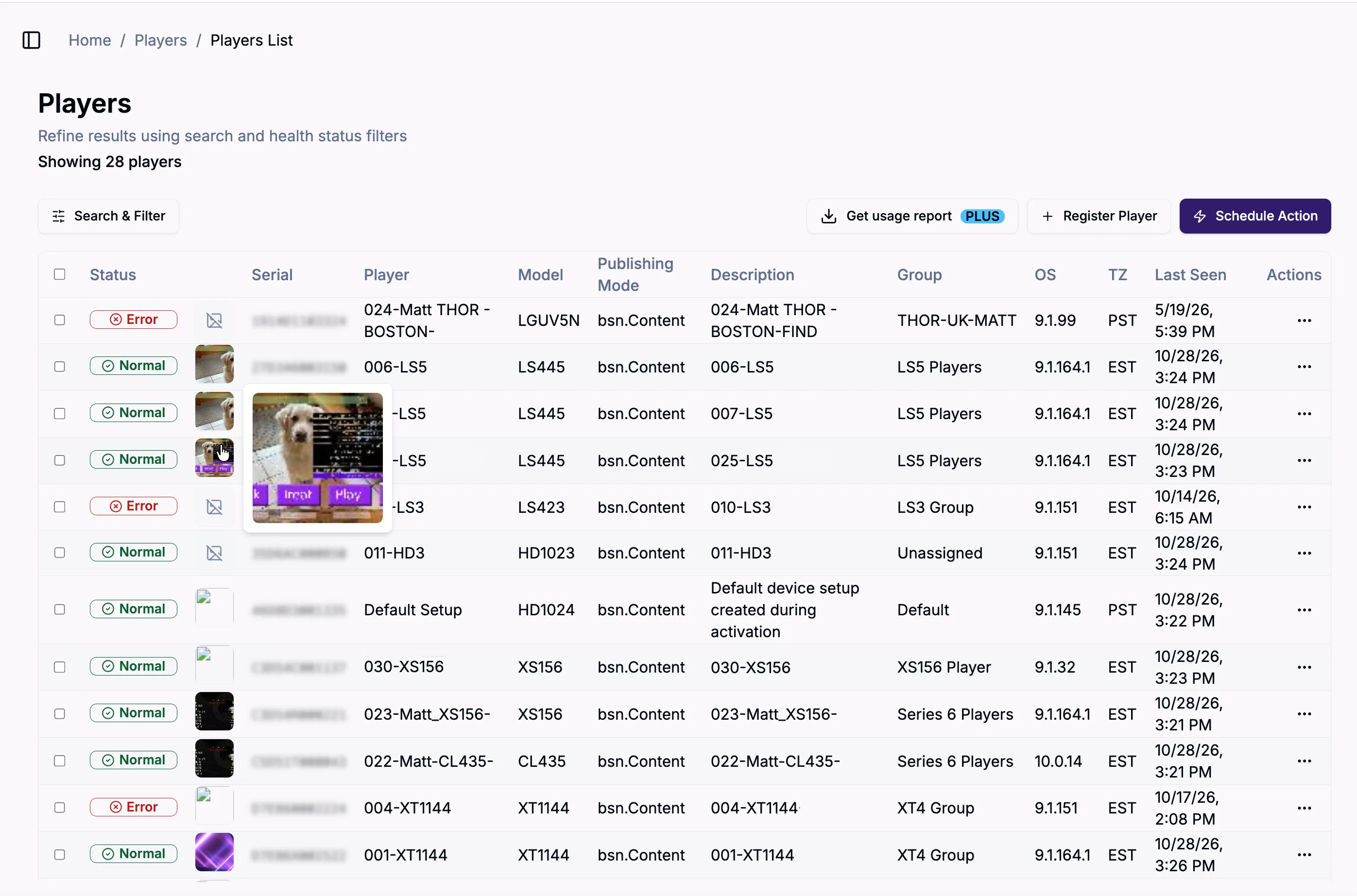
Double click on a player in the Players menu or select the three dot menu to the right of the player to see more detailed information about your player; access the Diagnostics section, which provides a wealth of diagnostic information about the players; view the player group; update the player; get a usage report from a specific date range; or delete the player.
A snapshot thumbnail will be visible on players that have snapshots enabled (click on the thumbnail to enlarge it). If you are subscribed to Author Plus and Control Plus, you will be able to see stored (older) snapshots as well.
You can use the arrow that appears when you select the column title to sort player order within the columns.
Filter Players
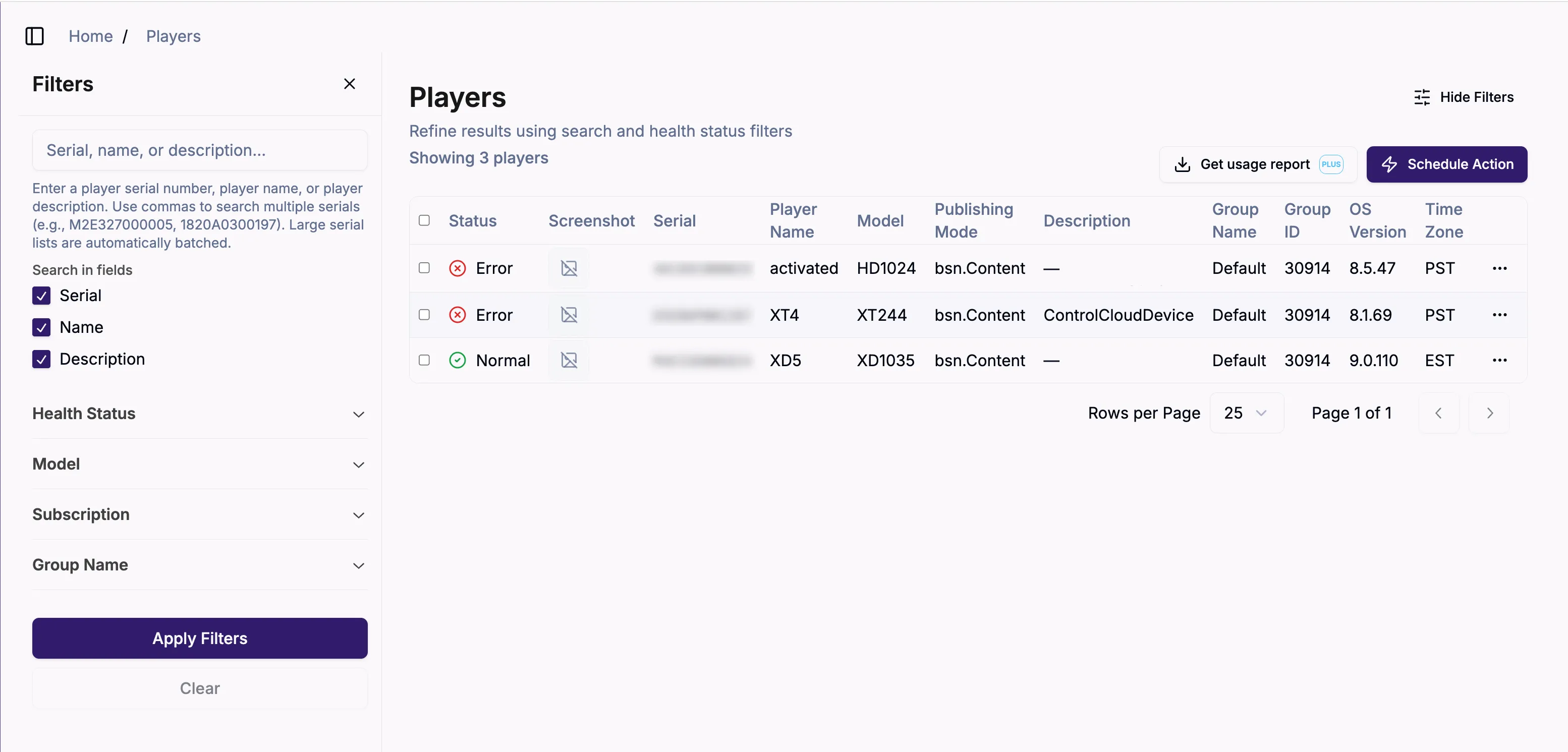
You can use the filter feature to only view players with certain characteristics.
To do this, select the Search & Filter button in the top right corner. In the pane that appears, select one or more criteria (serial number or name, network, health status, player model, subscription, or visibility) in the left panel and Apply Filters to filter players, as shown below. Select Clear to remove filters.
Player Overview
When you have selected a player, an Overview page with player information will appear. It displays the current player status, serial number and other info, location, settings, notes. You can also add and edit tags in this section, change the player group, timezone, update the player description, and add a note about the player.
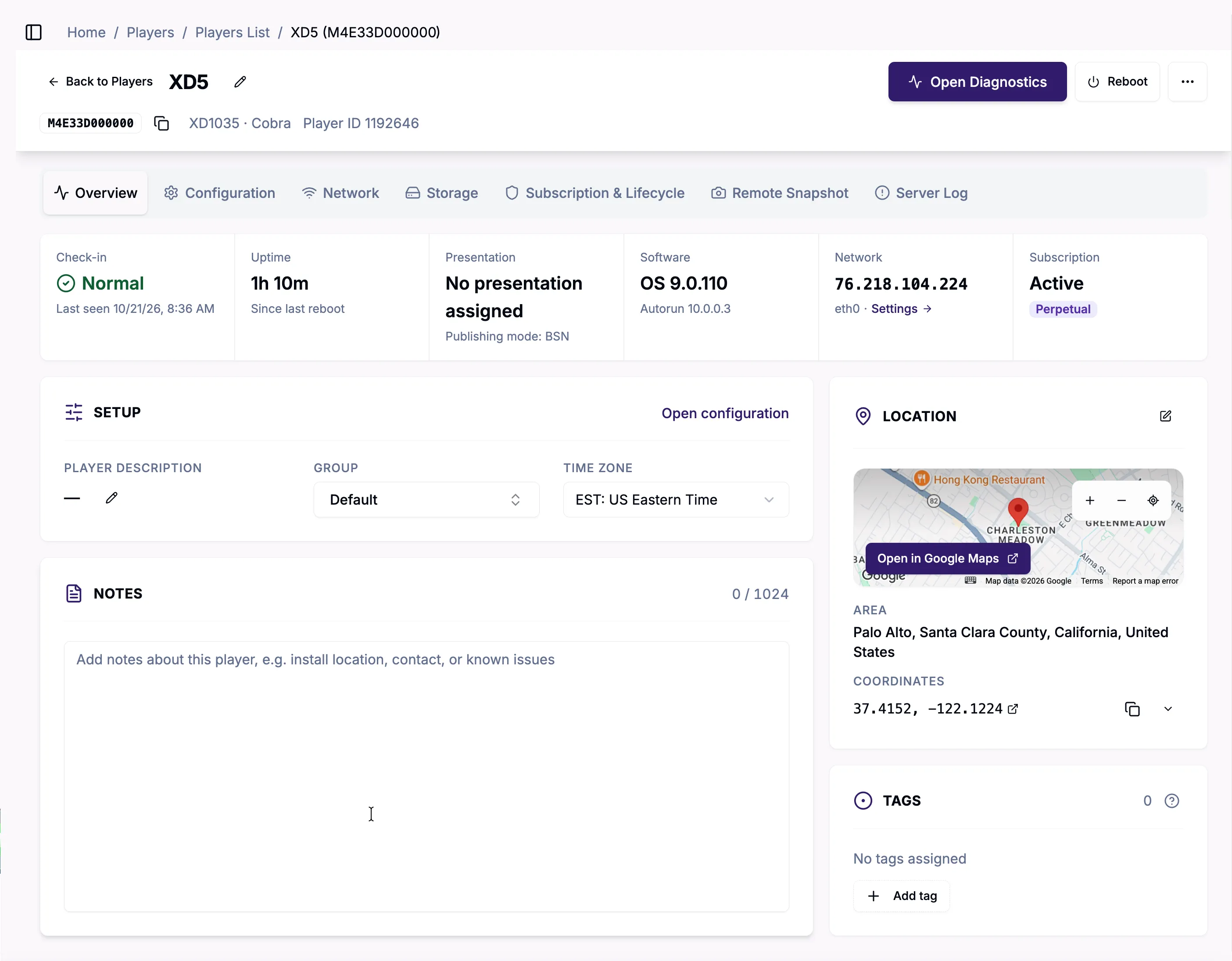
A series of tabs provide further information about the player:
- Configuration: This section displays sync settings such as Status Sync, Settings Sync, and Schedule Sync. Admins can edit a Player's group directly in the Group pulldown.
- Network: This section includes internal and external IP addresses, player hostname, network interface type, and MAC address.
- Storage: This section displays total storage device capacity (including used and free) for all internal and external storage devices.
- Subscription & Lifecycle: Select this section to see your subscription type, status, id, and activation date, as well as the timestamps associated with the player (date registered, last modified, settings updated, current settings, and current schedule).
- Remote Snapshot: This section lets you view screenshots from the selected player, and adjust screenshot capture settings. If you are an Author and Control Plus user, you can see previous snapshots also.
- Server Log: Inspect player activity and troubleshoot issues