Applications
3 min
This page describes both how to find out which features your application can access and how to enable them.
Understanding API Access
Each method of the BSN.Cloud Main API version 2022/06 requires a certain scope token to be accessible to a caller. For example, the following GET /Autoruns/Plugins/ method requires the bsn.api.main.autoruns.plugins.retrieve scope token. The section underlined in red in Image 1 is the feature that you must enable to access this method:
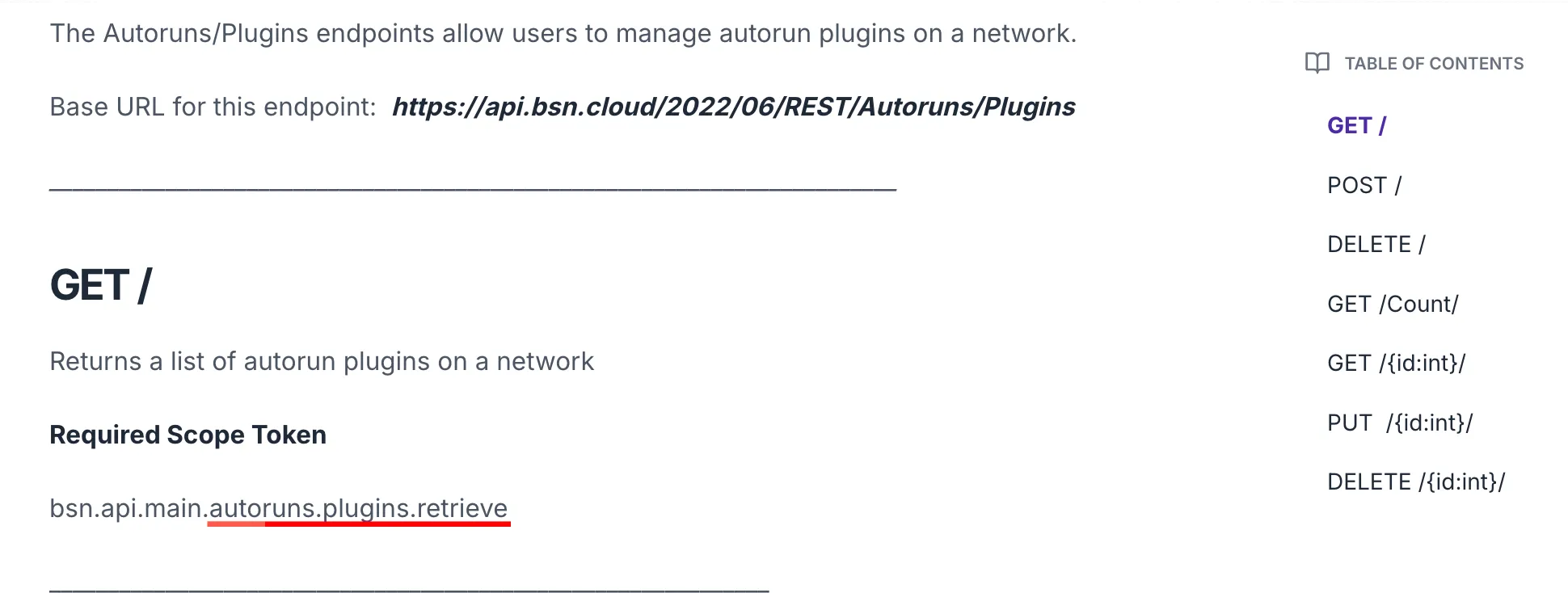
Image 1: GET Content feature access requirement
That section of the scope token corresponds to the categories listed in the Control Panel, which is where you can enable features.
The expander below describes how the Feature Access categories correspond to the API documentation:
Enabling Feature Access
Follow these steps to set the feature access you need:
- Log in to control.bsn.cloud using either Microsoft SSO or your BSN.Cloud credentials.
- Select Get Started.
- Select a network. All applications that you register are tied to your account and have access to the same networks as you do, but the network that you select now defines the list of available features you can chose in the next steps.
- Under Settings, choose Applications.
- Select Add Application.
- Fill out a unique Name and Description for your application.
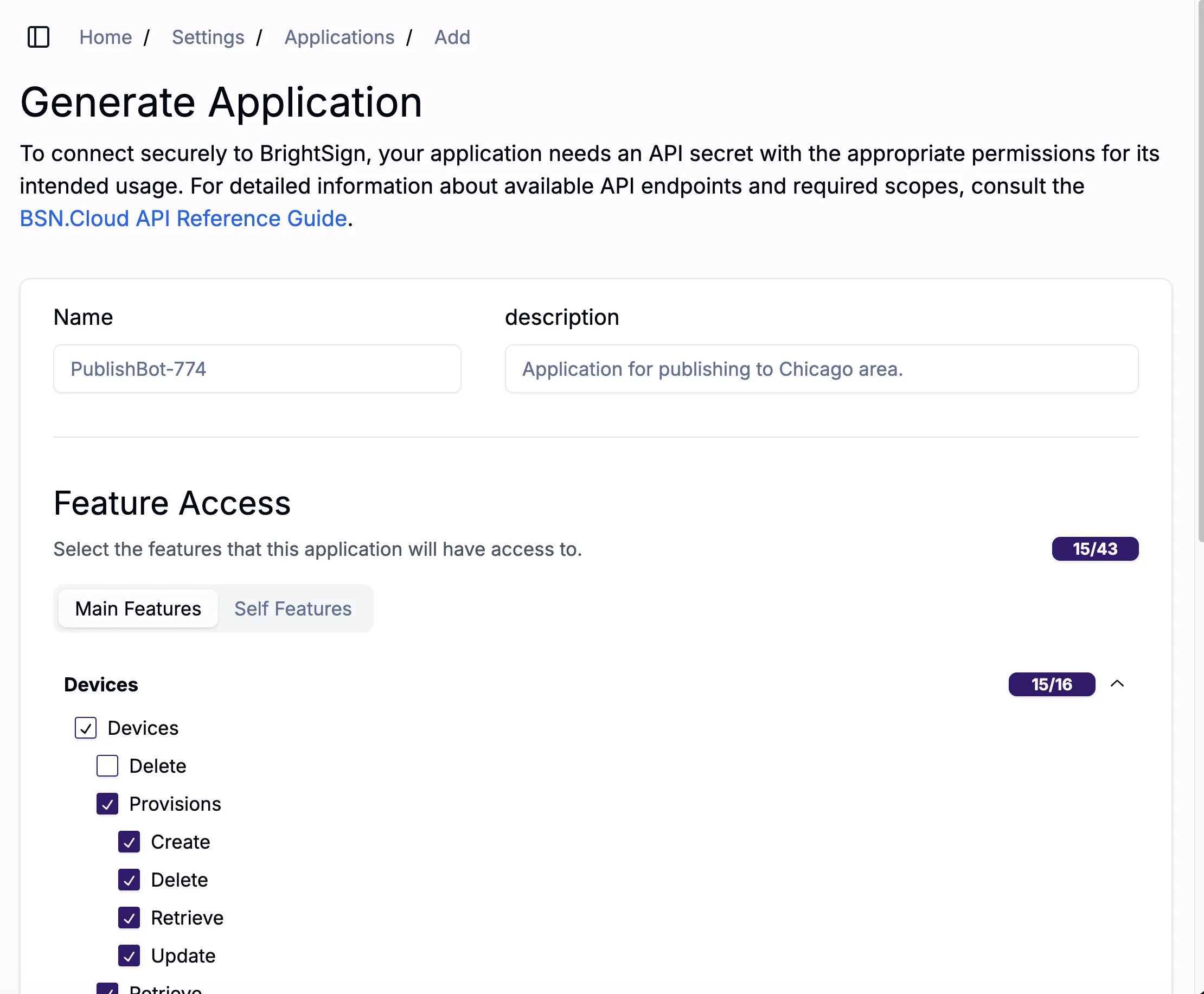
- Under Feature Access, you can select the features that your application will need. The settings in Image 2, for example, enable you to use all features of the Devices Endpoints (2022/06) endpoint except Delete.
- Select Save, which will take you to a new window (see Image 4) containing the Client Id and Secret issued for the newly registered application Be sure to save the client credentials in a safe place as the secret won't be visible again (see this page for more information).