Permissions
This section lets you manage roles and permissions.
Operations
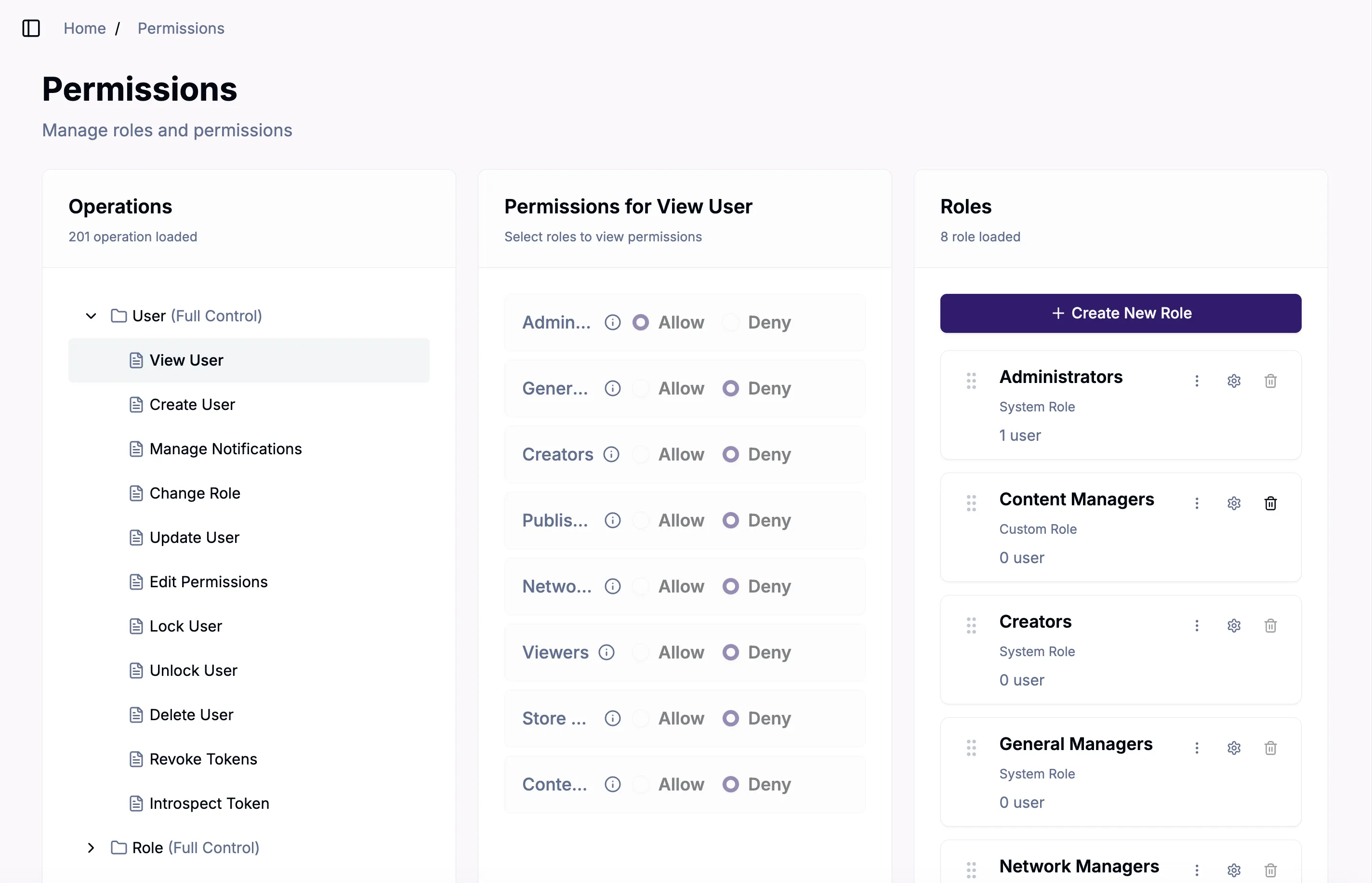
This is the list of all possible operations (see the Main API version 2022/06 endpoints for more information about these operations).
Permissions
When you select an Operation, the associated permissions will be displayed in this center panel. You can also change the permissions associated with custom roles.
Roles
This section lets you view and search for current roles, edit role details and settings, and remove roles from the network.
Create New Role
Add a new custom role to your network with either no permissions, or permissions copied from another role. You can modify the permissions after the role is created.
Reassign User Role Permissions
You can reassign user role permissions by:
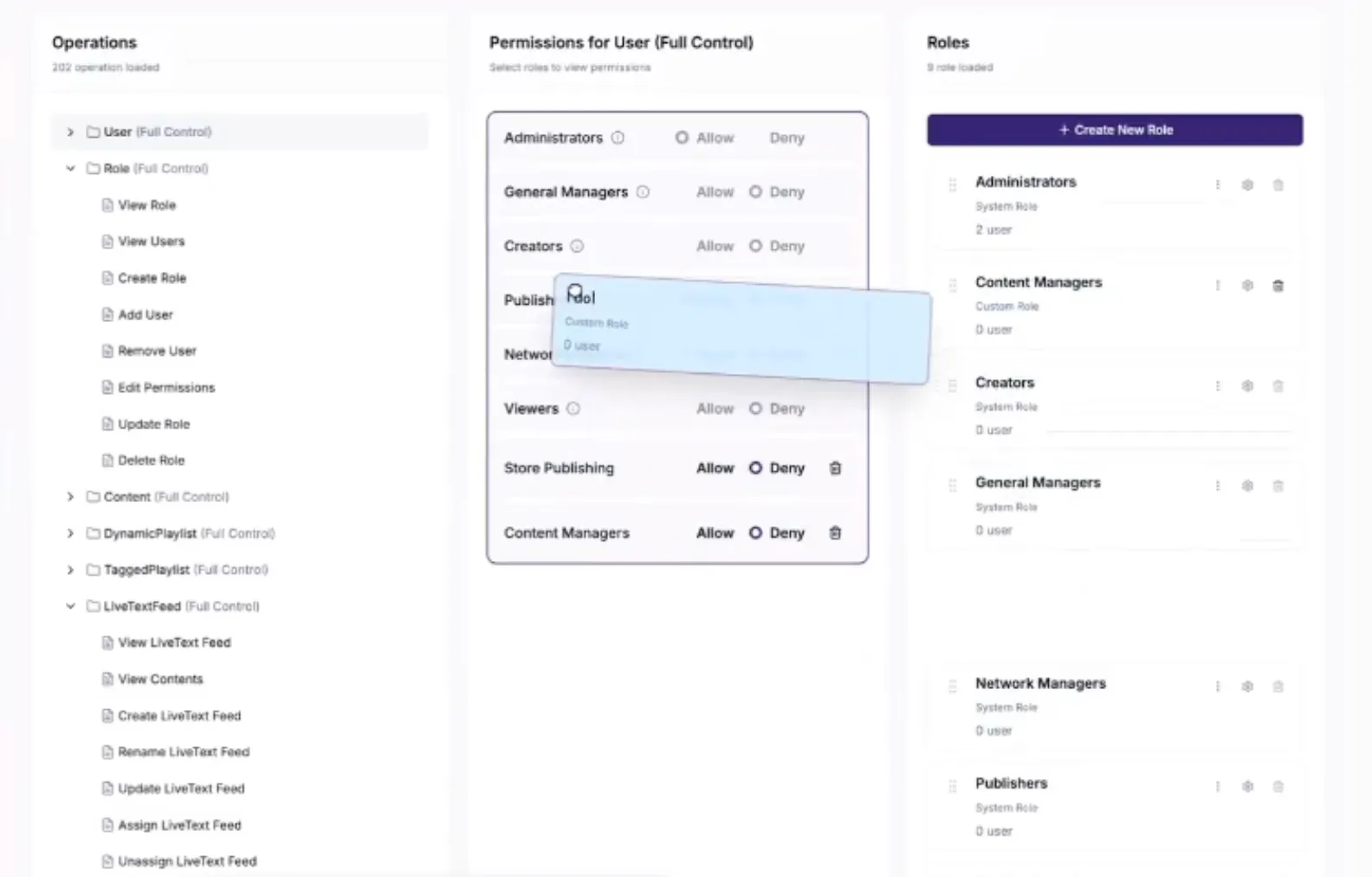
- Select the Operation that you want to to add to the role in the left pane.
- Selecting the six dot icon to the left of the role name and drag the role into the center column
- Select Allow or Deny to adjust permissions.
You can instead use the three dot icon to the right of the user name to reassign the user to a different role. A dialog box will ask you to confirm that you want to reassign the user role.
Edit/Delete User Settings
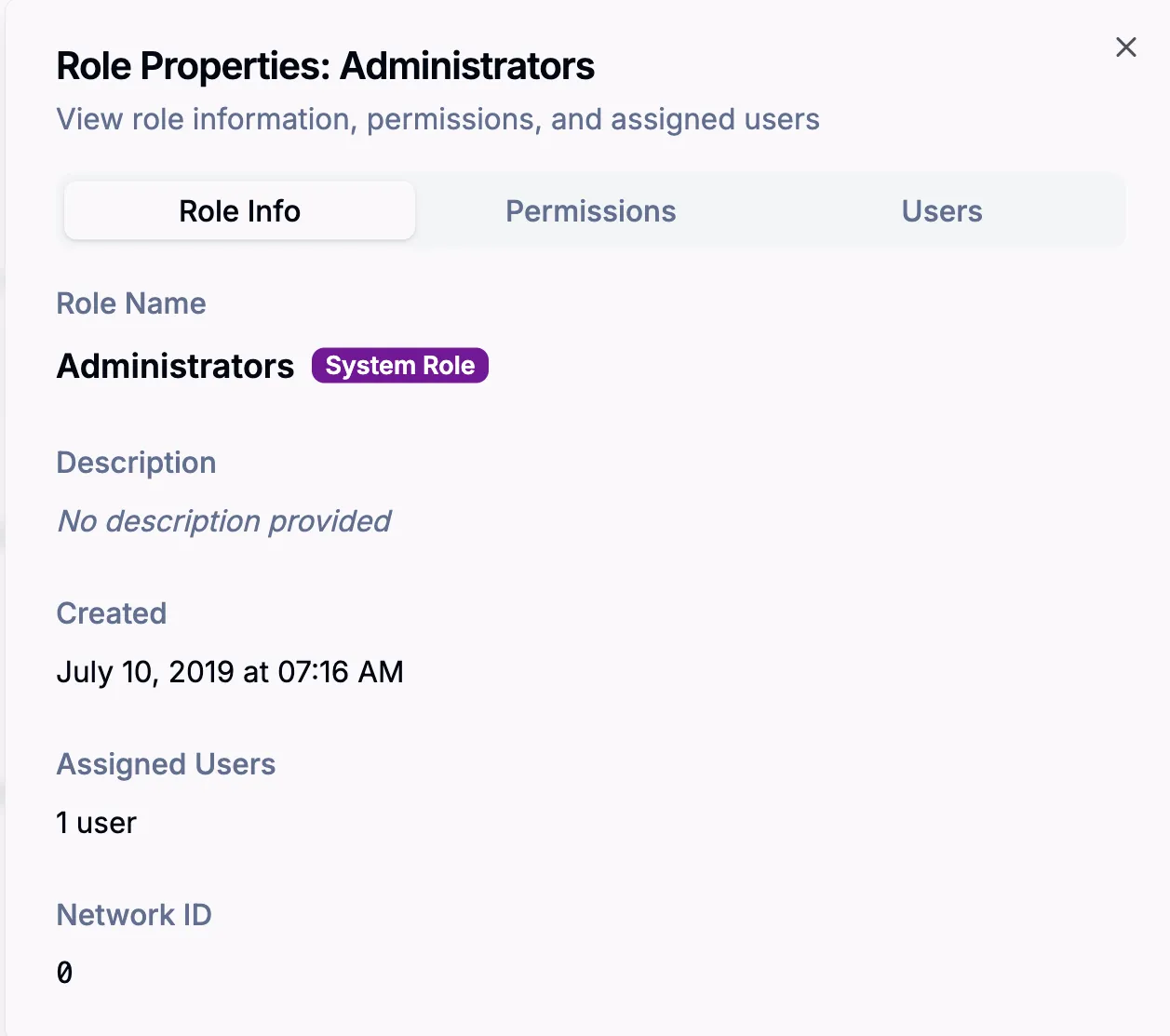
Use the gear icon next to the role name to open a dialogue (shown below) which lets you view and edit role properties. Use the trashcan to delete users from the network.