DWS: Remote Access
Players connected to the internet can use BrightSign Author services to remotely access the player's Diagnostic Web Server (DWS).
Simplified Security
Player security is greatly simplified when a player's DWS is accessed remotely.
When local access of the DWS is enabled, DWS passwords must be set individually for each and every player.
Remote access to the DWS, on the other hand, is secured via a single password for BrightSign Author. If a Single-Sign-On (SSO) is used to log in to BrightSign Author, no additional password is required at all. BrightSign Author provides remote access to the DWS of any player that has been set up with BrightSign Cloud (either the free BrightSign Author the paid BrightSign Author Plus).
Network Tab
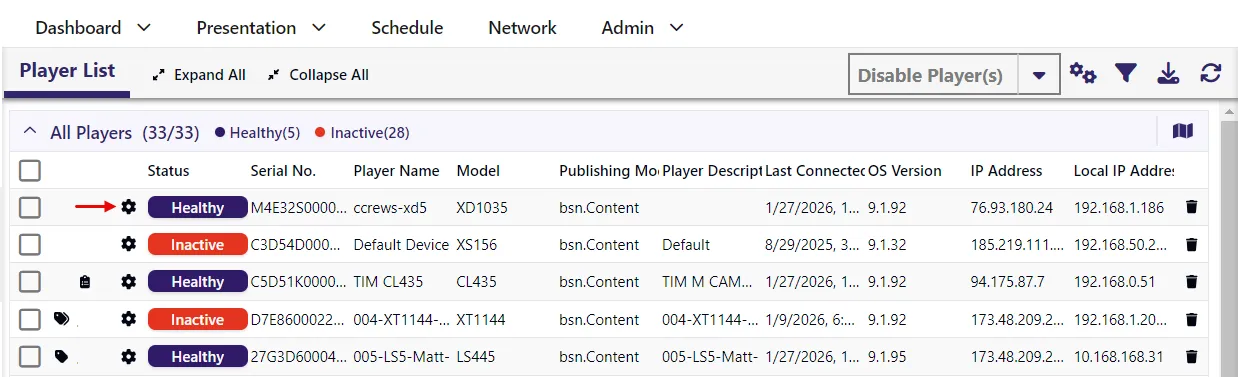
From the BrightSign Author desktop app or web app, go to the Network tab and click the gear icon next to that player to access that player's DWS.