Reprovisioning
When a provisioned player player powers up for the first time, it will configure itself with the Setup File it was provisioned with.
After the provisioned player has powered up, assigning a new Setup File to the player will not result in the new Setup File going into effect on the player. The player must be reprovisioned in order for the newly assigned Setup File to take effect.
From BrightSign Author, go to the Network tab. Find the player and click the settings (gear) icon:

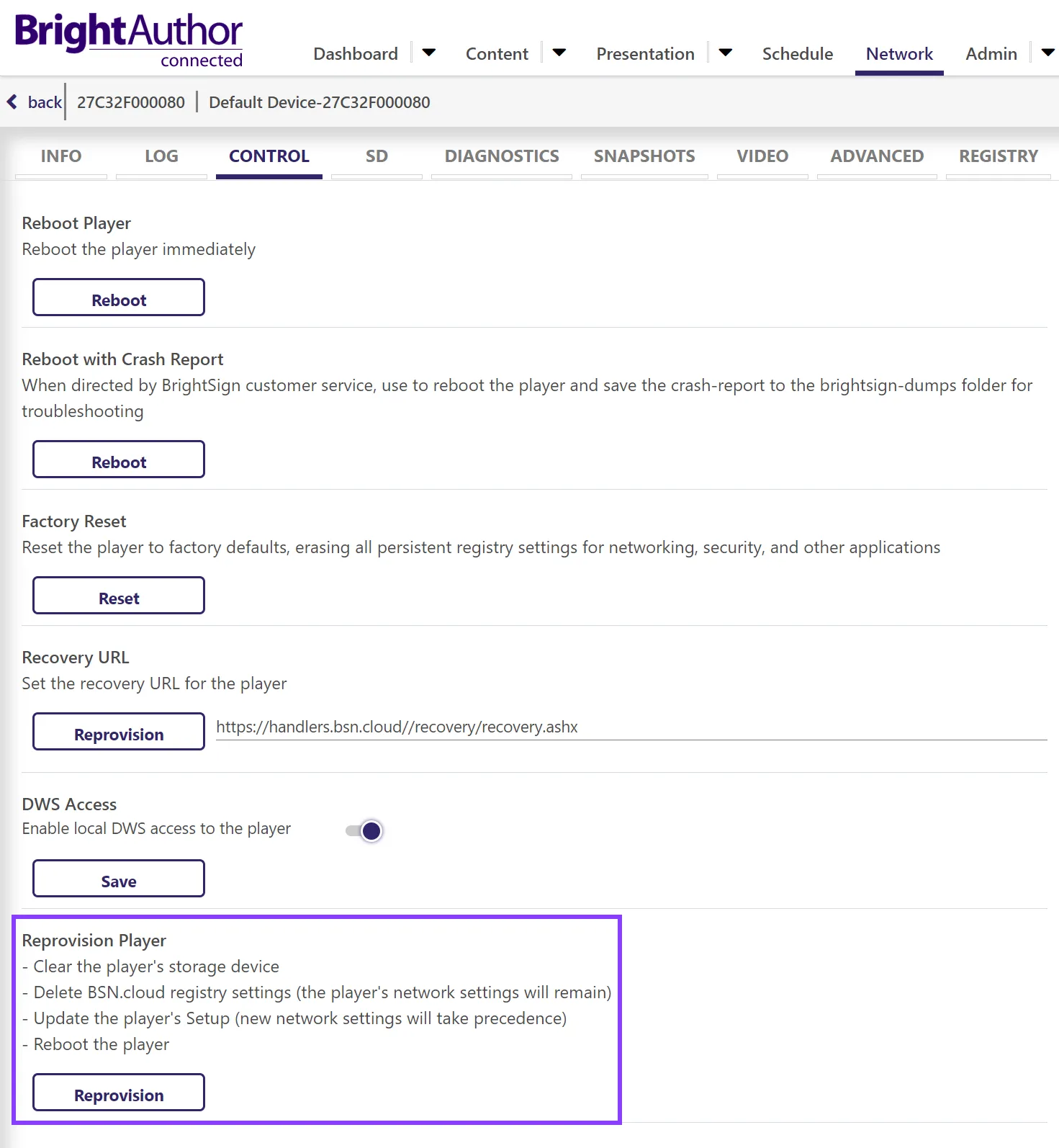
This accesses the player's Diagnostic Web Server (DWS). From there, go to Control > Reprovision Player.
Note the actions that will occur during the Reprovision process and click Reprovision.
If no provisioning record exists:
- Players that are connected to the internet will default to the Activation Code screen.
- Players that are not connected to the internet will fall back to On-Player Setup.
To check for a provisioning record, go to Admin > Provision and look for an assignment in either the Setup or App URL columns.
Deleting a Provision Record
- Go to Admin > Provision and delete the player from the Provision List by clicking the delete (trash can) icon.
- Go to the Network tab and find the player. Click the gear icon to remotely access the player's DWS.
- Navigate to the Control tab of the player’s DWS and click the Reprovision button which will cause the player to reboot.
- Since no Setup File has been applied to the player, the player will boot to the Register / ActivateActivate screen.
- After the player has rebooted, go the Network tab and click the delete (trashcan) icon to delete the player from the network.
- This is more of a housecleaning step and while recommended, is not strictly necessary. If not done, the player will continue appearing in the Network tab but show an Inactive status.
For privacy / security reasons, BrightSign cannot delete player provision records and cannot provide information about the network to which players are provisioned.
If a previously used player is purchased, make sure that the seller is able to delete the player's provision record. If the former administrator of the player network is no longer unavailable, that administrator's IT department must access the administrator's email and log in to the associated BrightSign account to delete the player's provision record.
Reprovisioning vs. Factory Reset
IMPORTANT
A Factory Reset of a player does not alter its provisioning record. Upon bootup after a Factory Reset, the player will automatically retrieve and apply the Setup File that was previously assigned.
Key differences between reprovisioning and a Factory Reset are outline in this table:
Reprovision | Factory Reset |
|---|---|
Clears the player storage | Does not clear the player storage |
Clears most registry settings but importantly does not clear the player’s network settings (e.g., WiFi configuration) unless these settings are explicitly changed in the new Setup File | Clears all registry settings including the player’s network settings. |
| Does not affect the player’s provisioning record. The player’s Setup File on record will be applied after the player boots back up. Changing the player’s Setup File requires reprovisioning the player. |