Use the Control Port (Examples)
The control port of the XD6 and HD6 can be used to:
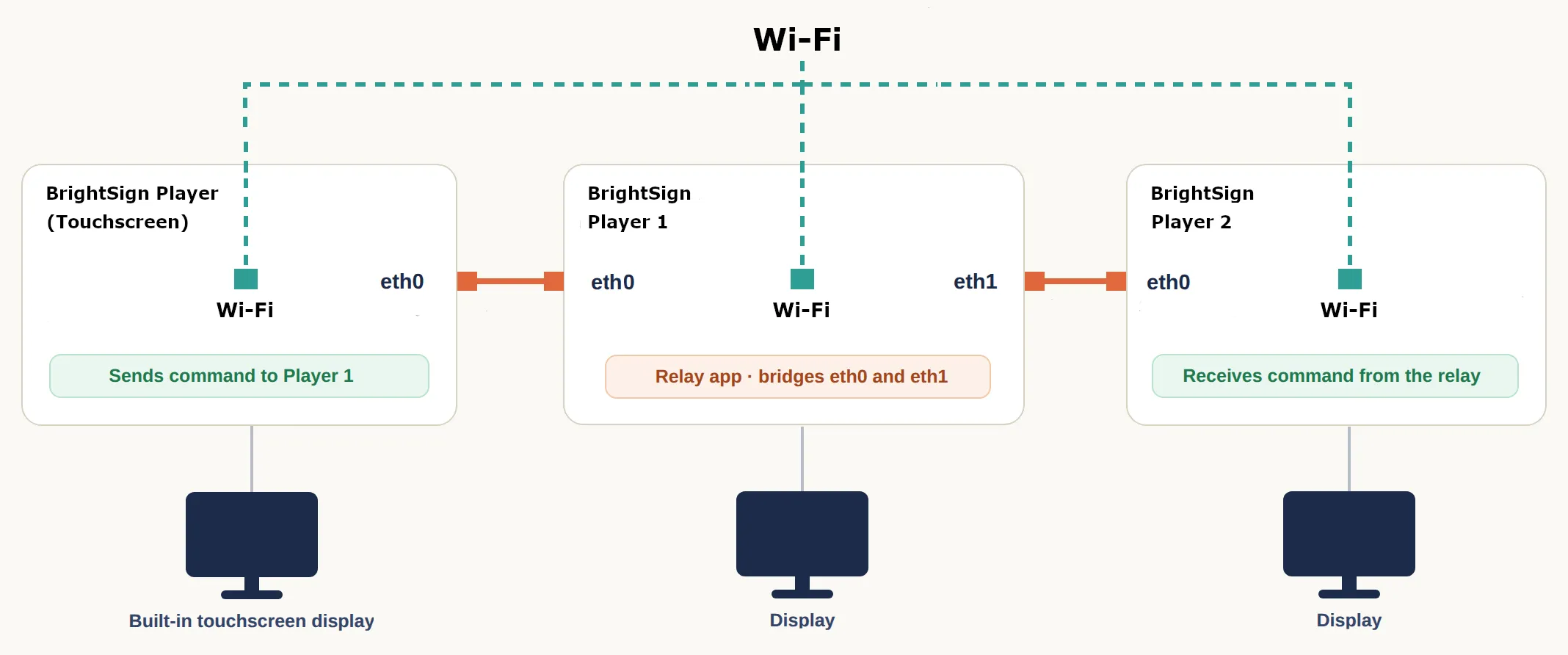
- Daisy-chain players together, especially where cloud connection or poor WiFi or low latency synchronization would be needed (as in the image below)
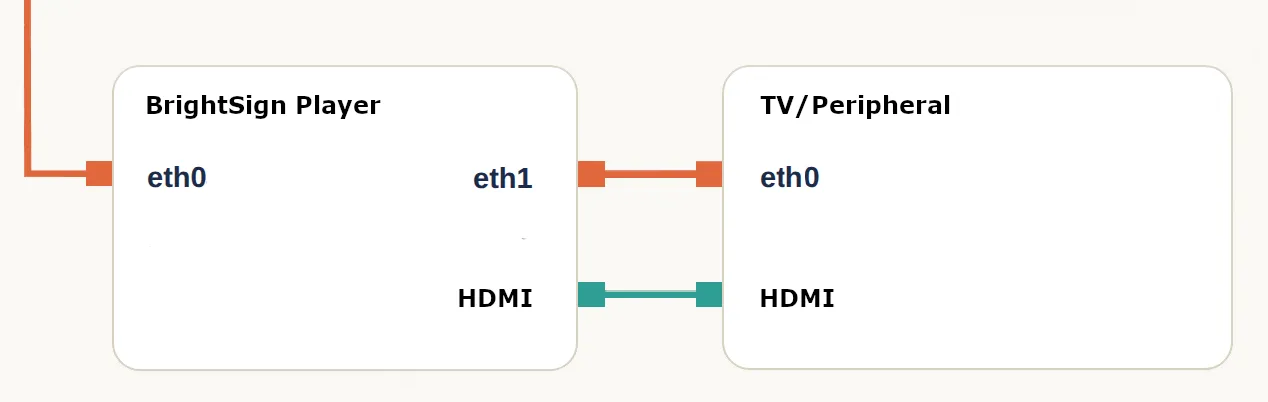
- Control a generic device in an airgap network (TV, sound bar, iot device)
The diagrams below show a high-level overview of each implementation:
Daisy-Chaining Players
Two or more players can be linked directly (without the cloud) over WiFi for local control over UDP. This is useful for controlling screens live (for example, from a touchscreen) in places with no WiFi network, or where a WiFi network exists but security rules block players from communicating with each other.
Local Control over Ethernet
You can use the control port to live control downstream displays or peripherals (like a TV, sound bar, iot device) without a network connection. In the example diagram below, eth0 connects to the internet, and eth1 (the control port) communicates with the ethernet port of the peripheral. This lets you share data, update firmware, etc., and/or use the connection for display control, which lets you control brightness or change other settings on the peripheral device: