BrightSign Control Integration
Partners are highly encouraged to take advantage of the free, yet powerful, tools offered by BrightSign Control. The two most common ways for partners to use BrightSign Control are:
- The “Swivel” approach
- API integration between the partner CMS and BrightSign Control
“Swivel” Approach
One of the easiest ways for a partner to get up and running is with the “Swivel Chair” approach. With this method, end users use BrightSign Control alongside the partner CMS.
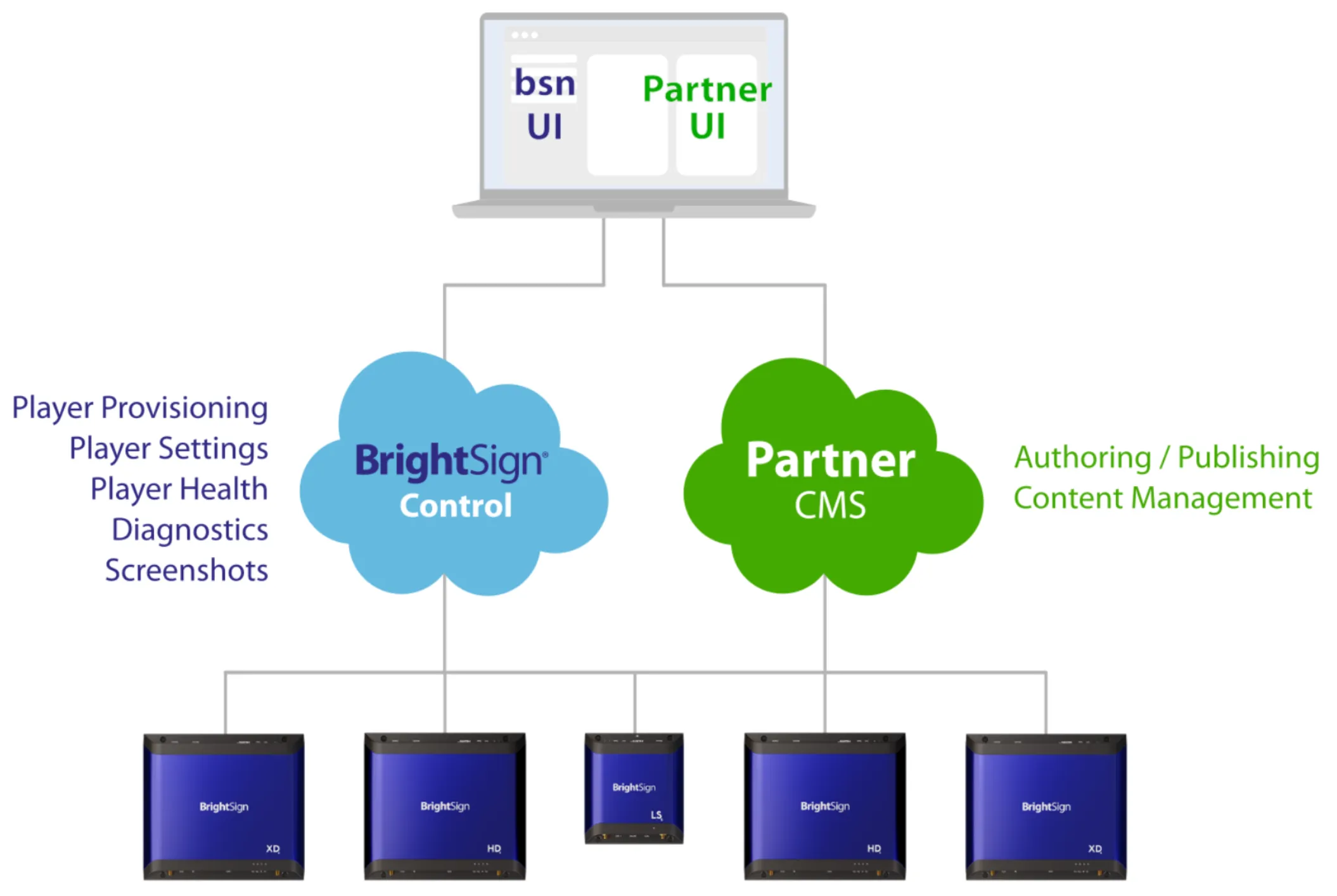
With this approach, end users have full access to the capabilities of BrightSign Control via the unbranded web interface at control.bsn.cloud. By having one browser tab for the CMS and another browser tab for BrightSign Control, users can quickly “swivel” back and forth between the CMS and BrightSign Control.

API Integration
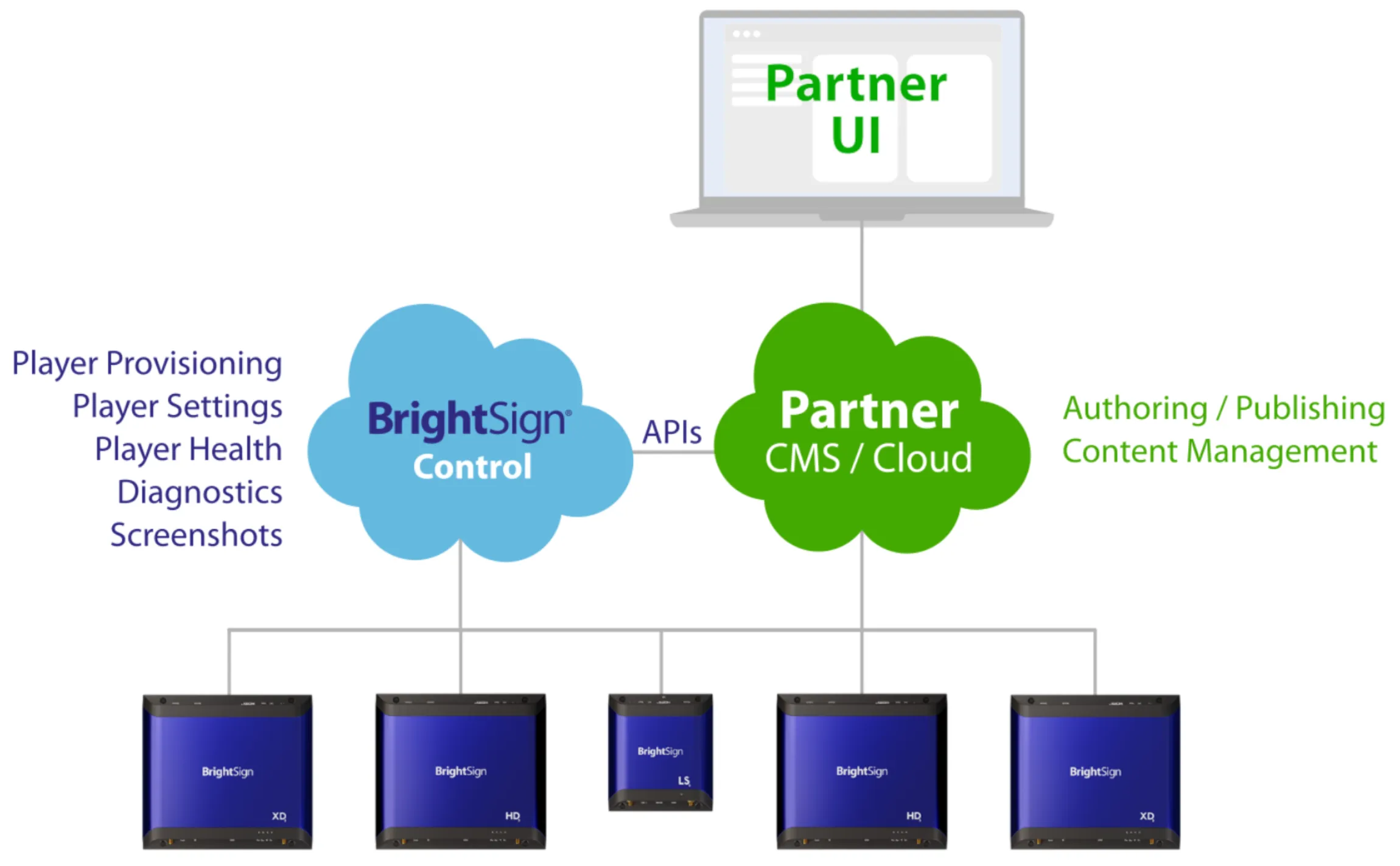
Using BrightSign’s APIs, partners are able to design their own custom user interfaces to access the underlying functions of BrightSign Control. End users will then interact with a single UI for authoring, publishing, content management, and player management.
Next, let’s take a look at one of the ways BrightSign Control can used to remotely provision players.
Next - App URL/CMS URL >Next - App URL >