Publishing Mode
One of the most important settings in a Setup File is the Publishing Mode which sets the method by which content will be delivered to the player. The Publishing Mode is tightly coupled with the player's CMS (Content Management System).
Selector
Use the tool below to quickly determine the best Publishing Mode for your player(s).
Clicking the Publishing Mode from the Selector above will bring you to the corresponding description for that Publishing Mode below.
Standalone
NO NETWORK ACCESS REQUIRED CMS: BRIGHTSIGN AUTHOR (FREE)
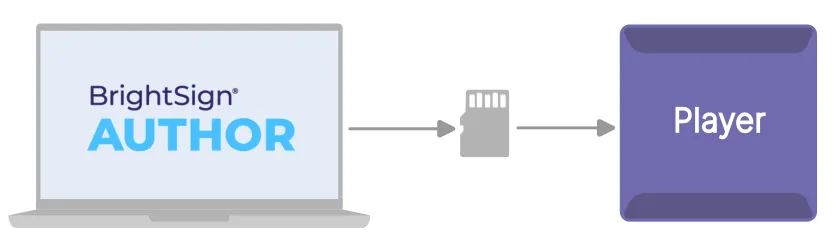
- Content is manually published / copied to a storage device (typically a microSD card).
- The storage device is manually inserted into the player.
Local Network
LOCAL NETWORK ACCESS REQUIRED CMS: BRIGHTSIGN AUTHOR (FREE)
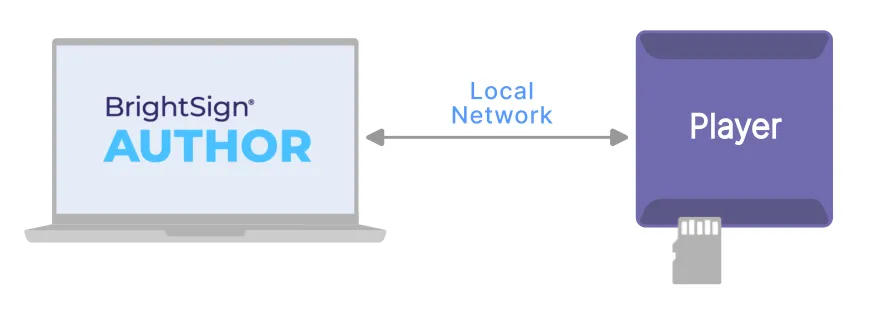
- Content is published to the player over the local network.
Author Plus
INTERNET ACCESS REQUIRED CMS: BRIGHTSIGN AUTHOR PLUS (PAID)
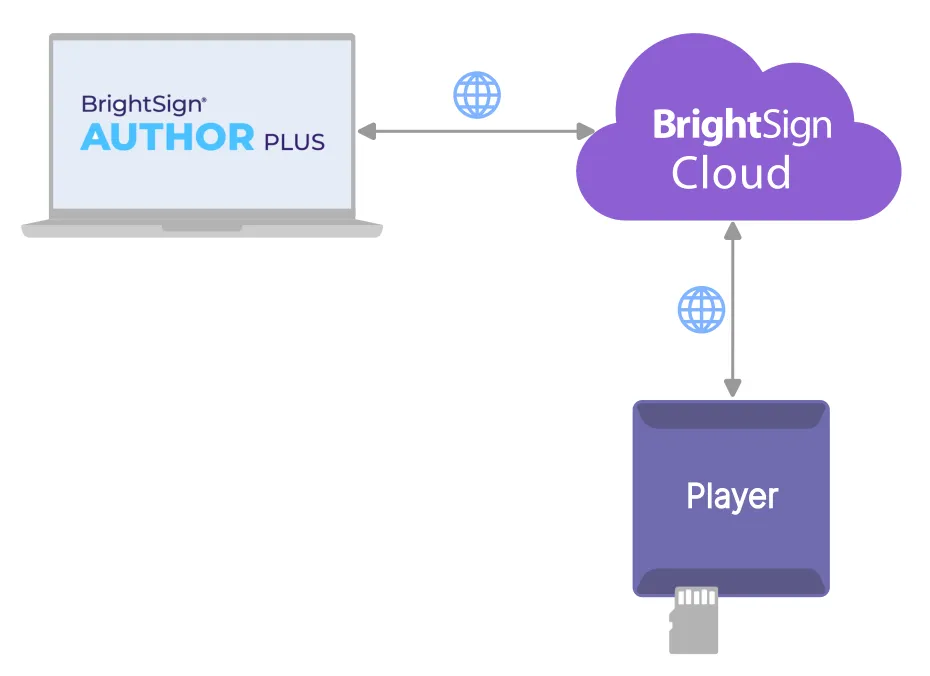
- Content is stored and published to players from BrightSign's cloud.
- BrightSign Author Plus is required.
Web Folder
INTERNET ACCESS REQUIRED CMS: BRIGHTSIGN AUTHOR (FREE)
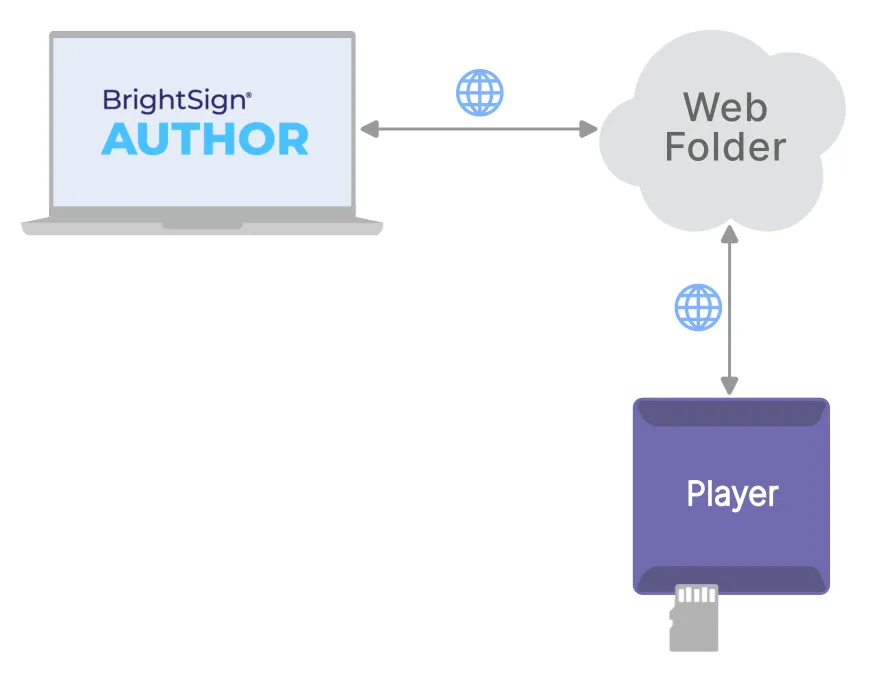
- Content is published to a player-accessible URL. Content can be uploaded to the URL using WebDAV or FTP.
- The player downloads the content from the web folder.
- Players periodically check the web folder for content updates and when available, new content is automatically downloaded to the player.
Partner CMS
INTERNET ACCESS REQUIRED CMS: PARTNER CMS (PAID) VIA WEB BROWSER
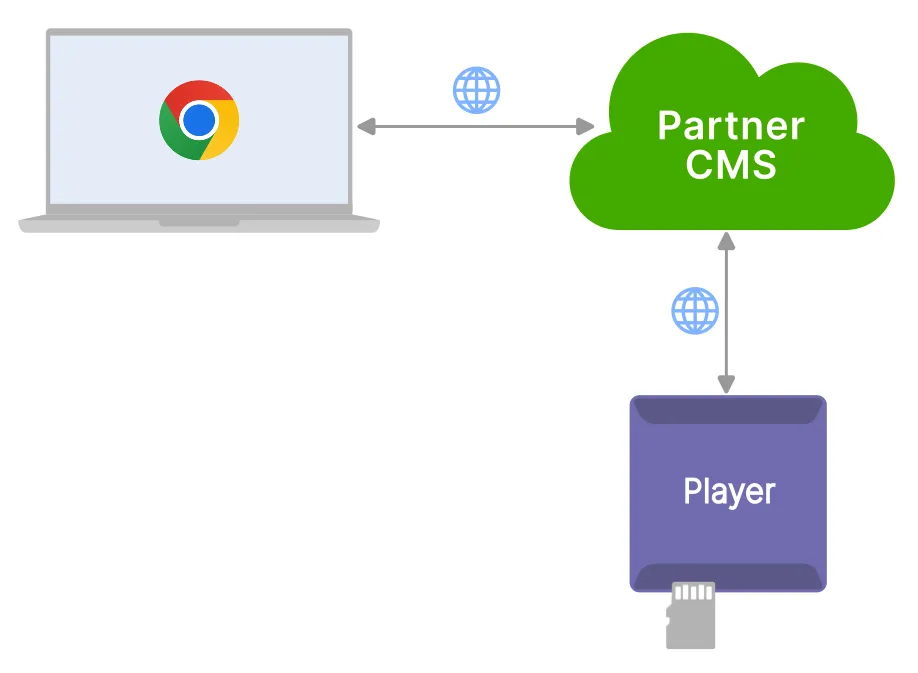
BrightSign has many partners who provide an alternative CMS for BrightSign players. You can select from a list of Partner CMSs to use for content management.
CMS URL
INTERNET ACCESS REQUIRED CMS: NON-PARTNER CMS (PAID) VIA WEB BROWSER
You may also use a CMS not affiliated with BrightSign's Partner CMS program.
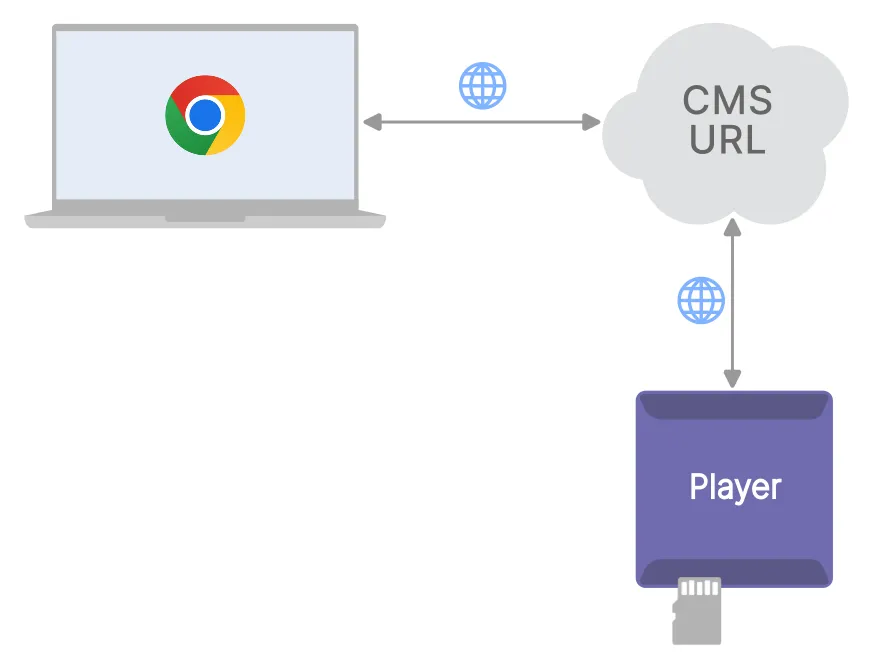
- A .zip file containing the setup package for the CMS is placed at a player-accessible URL.
- The player downloads the package from the URL and sets itself up for use with the CMS.