Reboot a Player via BSN
4 min
This page / section pertains to BrightSign Network (often abbreviated BSN), our legacy cloud platform. Our latest cloud platform is BSN.Cloud. Development of BSN has largely ceased and the platform will eventually be deprecated and replaced with BSN.Cloud.
Players connected to the BrightSign Network service can be instructed to reboot. The reboot will take effect the next time the player checked into the BSN server. You can instruct a player to reboot from either the BSN Web UI or from BrightAuthor Classic. Instructions for both methods are described below. Note the following requirements:
- The player must have an active BSN subscription. Players without active subscriptions will not take any action upon connection to BSN.
- The player must be communicating with BSN. If the player cannot reach BSN, it will not see the instruction to reboot.
- The restart will happen on the player's next check-in to BSN.
Rebooting with the BSN Web UI
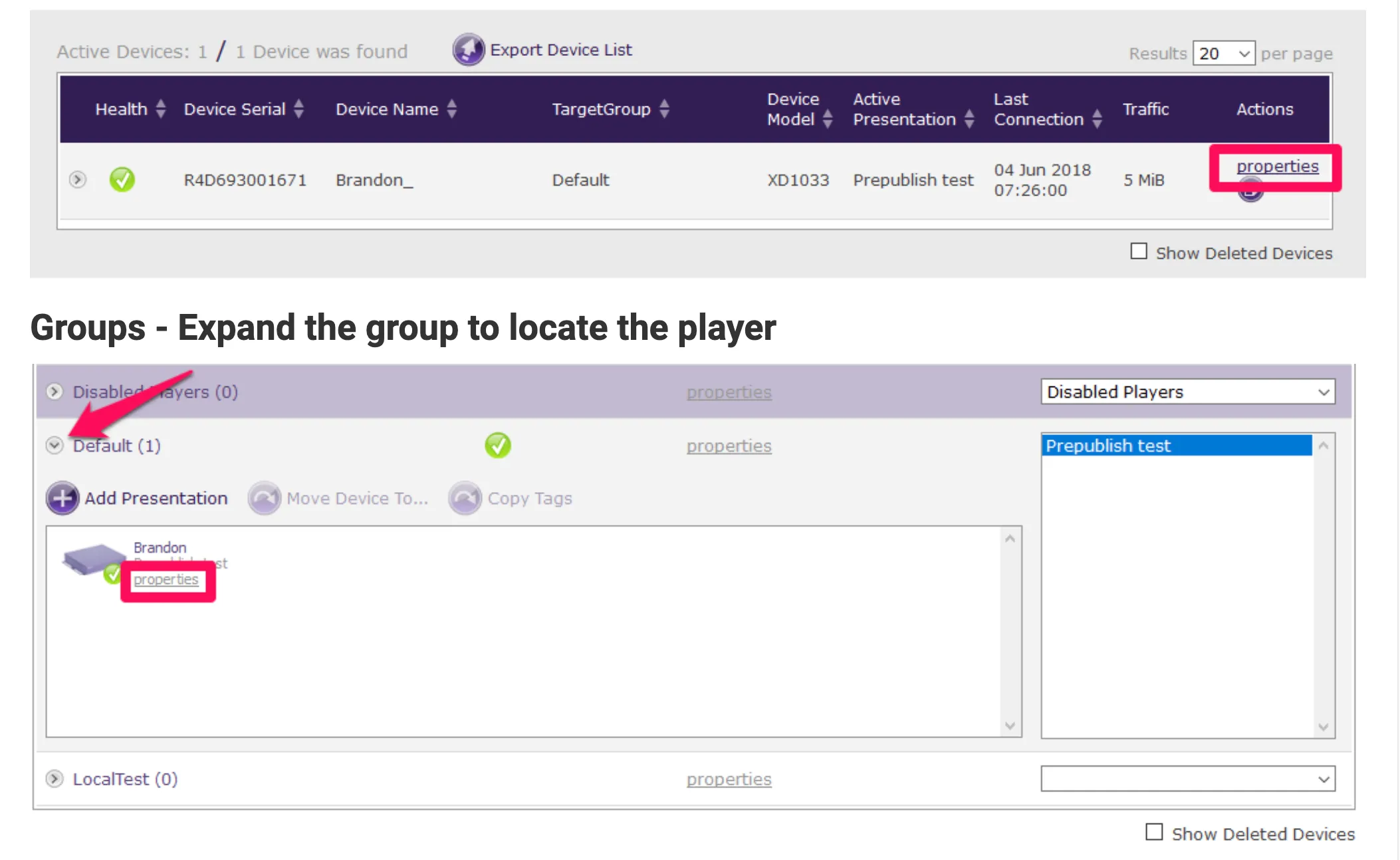
- Select the Current Usage tab or the Groups tab, locate the player you want to reboot, and click the Properties link. See Image 1, below
- Select the Advanced tab and tick the Reboot Unit box. The player will reboot the next time it connects to BSN, which is the shorter of the configured Health Check or Content Check frequency. The Reboot Unit option will be cleared automatically after the player reboots.
Rebooting with BrightAuthor Classic
- Launch BrightAuthor Classic and check the upper right corner. If it reads Not signed in, sign in from Tools > Sign In to BrightSign Network. If you do not see this option, go to Edit > Preferences in the Networking tab and tick Enable BrightSign Network.
- Go to Tools > Advanced
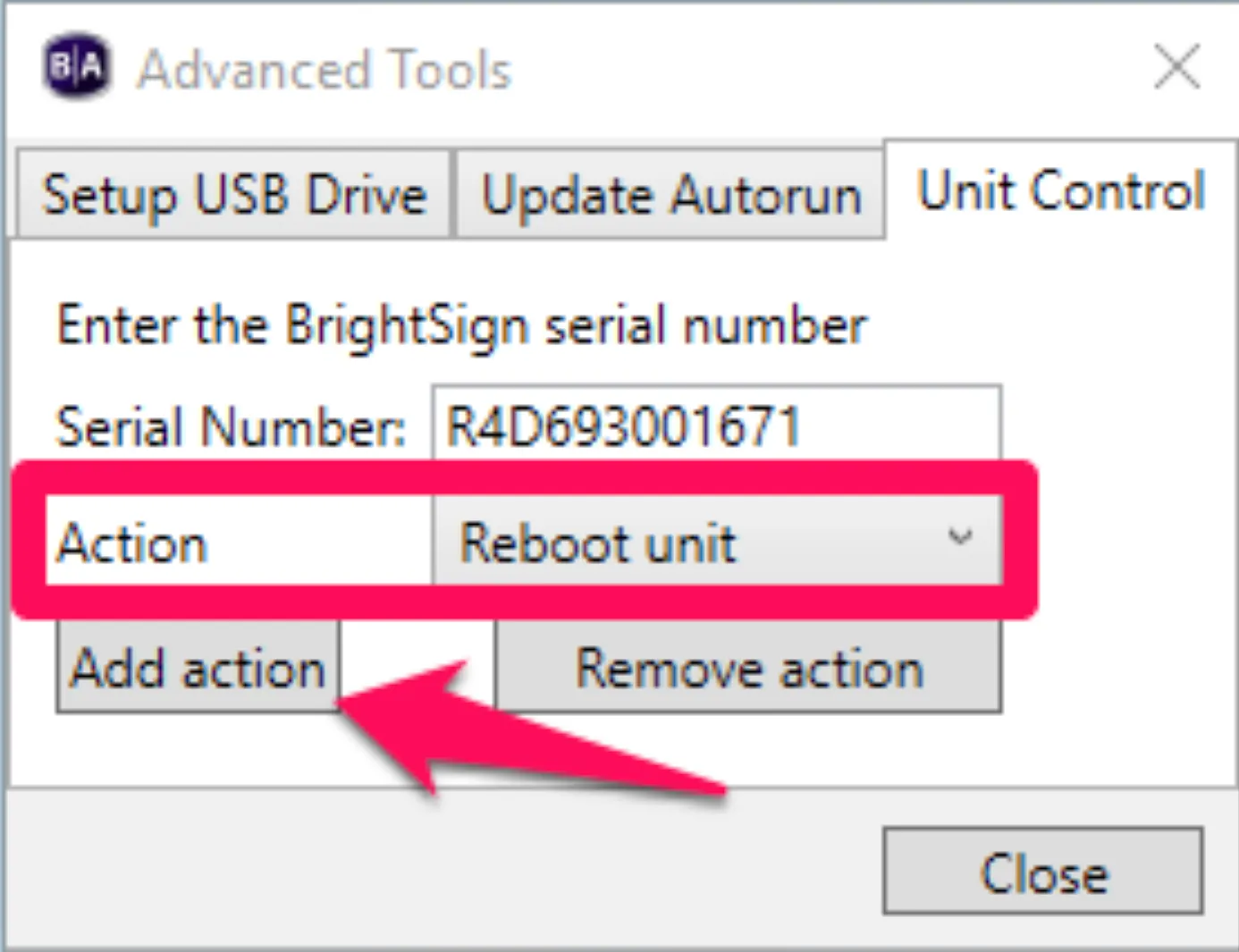
- Click the Unit Control tab and enter the Serial Number of the player. If you don't know the player's serial number, scroll up and use the BSN Web UI instead, or get the player's serial number (Unit ID) from the Manage tab.
- Select Reboot unit in the Action drop-down, then click the Add action button. See Image 2, below.
- A confirmation will appear. If you have more players to reboot, replace the serial number with their serial numbers, clicking Add action to add the Reboot unit action for each one. The player(s) will reboot on their next check-in to BSN.