Image Cache
This page / section pertains to BrightAuthor Classic, our legacy app. BrightSign Author is our latest app for managing content and players.
Development of BrightAuthor Classic has largely ceased and the app will eventually be deprecated and replaced with BrightSign Author.
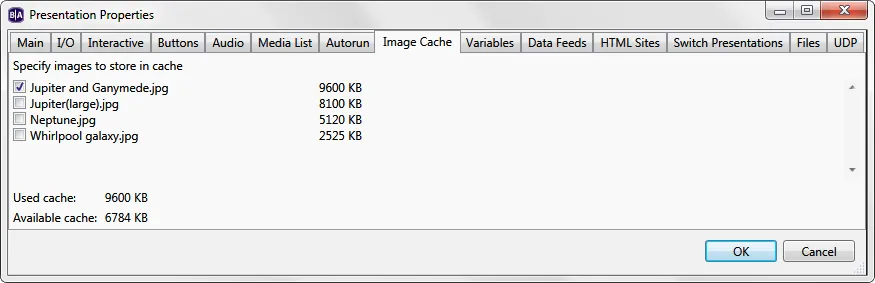
The Image Cache tab displays a list of all image files in your presentation. Selecting an image will preload it into player memory–it will then load and display much faster during playback. Note that the Available cache space is displayed below–you cannot exceed the allowed space with cached images.
Cached images are always displayed at their full resolution–they cannot be scaled up or down. Make sure the size of the image matches the size of the zone.
You can preload up to 16MB of images. If an image is compressed (e.g. .jpeg, .png), then it will use more memory than its reported file size in Windows/Mac, and BrightAuthor Classic will show this larger file size when you add it to the Image Cache list. Since Bitmaps (.bmp) are not compressed, the reported file size of a Bitmap image accurately represents how much memory it will use.