Edit Zones
1 min
This page / section pertains to BrightAuthor Classic, our legacy app. BrightSign Author is our latest app for managing content and players.
Development of BrightAuthor Classic has largely ceased and the app will eventually be deprecated and replaced with BrightSign Author.
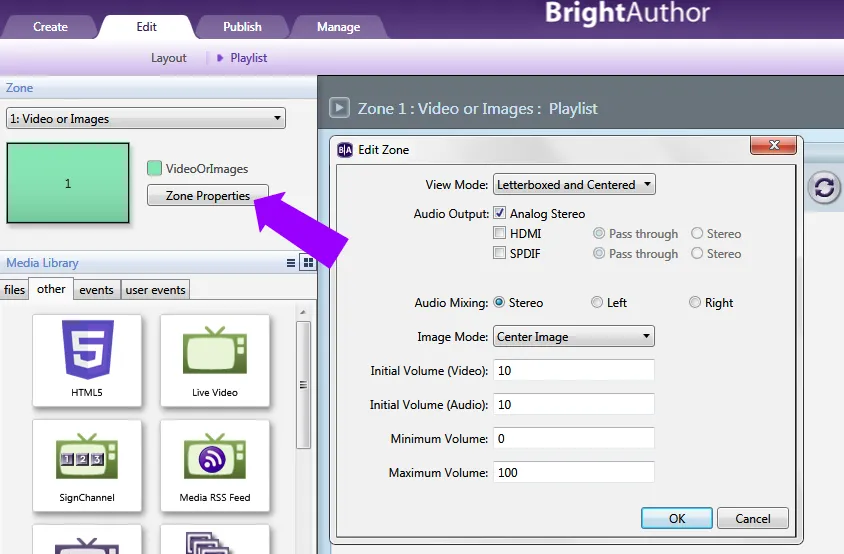
This section describes how to edit zone properties. Follow these steps to open the Zone Properties menu for a zone:
- Open a presentation project by clicking File > Open Presentation.
- Click the Edit tab and select Playlist.
- Under Zone in the upper-left portion of the screen, select the zone you wish to edit.
- Click Zone Properties. Different options will appear depending on the type of zone that is selected (see the sub-pages for details).
- Repeat steps 2 – 4 for each zone you want to edit in your presentation.