BrightWall Presentations
This page / section pertains to BrightAuthor Classic, our legacy app. BrightSign Author is our latest app for managing content and players.
Development of BrightAuthor Classic has largely ceased and the app will eventually be deprecated and replaced with BrightSign Author.
The BrightWall™ feature allows you to easily create, publish, and edit video-wall deployments. Video walls are created by synchronizing the playback of a number of players using Genlock. Each player is connected to a different screen on the wall, and the players are linked over a local network connection. Simple looping video playlists are the only presentation type supported by BrightWall. Images and interactive playlists are not supported: Use this page to compare the capabilities of different synchronization options.
The process of publishing BrightWall presentations differs from publishing standard presentations. See the Publishing a BrightWall PresentationPublishing a BrightWall Presentation page for more information.
BrightWall™ requires BrightAuthor Classic versions 4.1.1.14 or later and is not currently supported in BrightAuthor:connected / BSN.Cloud.
BrightWall Requirements
- Video Files: We recommend using the .mp4 or .mov container for video files that make up a BrightWall presentation. Transport Stream (.ts) files are also supported, but they must begin with a presentation timestamp (PTS) offset of zero. Program Stream (MPEG-PS) files are not supported.
It is possible to create a seamlessly looping video wall if the video files are formatted appropriately. See this How-to for more details.
- Networking: All players must be connected to the same network via Ethernet cable. We recommend using a dedicated switch or VLAN for BrightWall(s).
- Multicast: Multicast must be enabled on the network (BrightWall uses the PTPv2 network protocol). BrightWall uses the following multicast address: 224.0.126.10:1539.
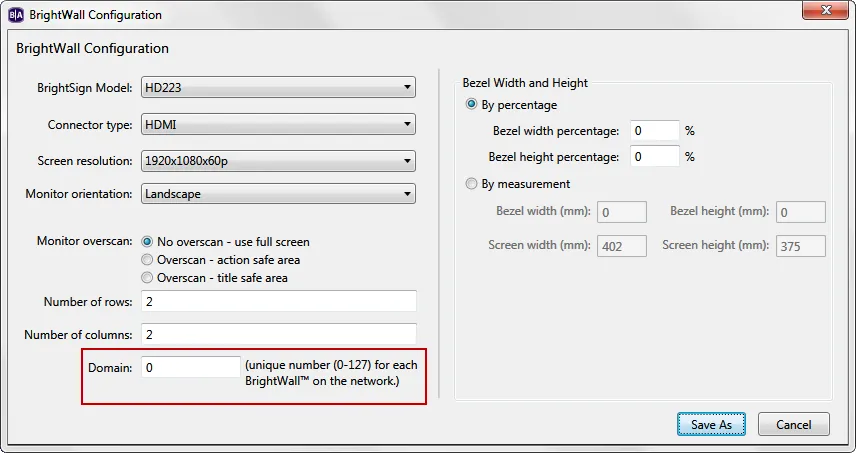
- Domain: When multiple BrightWalls are operating on the same network, each concurrent presentation must have a different domain number, which is set when creating the configuration filecreating the configuration file.